Superset
Superset is fast, lightweight, intuitive, and loaded with options that make it easy for users of all skill sets to explore and visualize their data, from simple line charts to highly detailed geospatial charts.
Databend integrates with Superset through two Python libraries: databend-py and databend-sqlalchemy. To achieve this integration, you need to build a custom Docker image based on the official Superset Docker image, incorporating these two libraries. databend-py acts as the Python client library for Databend, allowing Superset to communicate with the Databend server, execute queries, and retrieve results through its API. Concurrently, databend-sqlalchemy serves as the SQLAlchemy adapter for Databend, enabling Superset to integrate with Databend using the SQLAlchemy framework. It facilitates the conversion of SQL queries generated by Superset into a format understandable by Databend through SQLAlchemy's interface.
Tutorial: Integrating with Superset
This tutorial guides you through the process of integrating Databend Cloud with Superset.
Building Superset Image
These steps involve creating a customized Superset Docker image with Databend integration:
- Starts with the official Superset Docker image as the foundational base. Edit the Dockerfile, permissions are elevated to install essential packages.
FROM apache/superset:6.1.0
USER root
RUN uv pip install --python /app/.venv/bin/python --no-cache \
        "databend-driver==0.34.0" \
        "databend-sqlalchemy==0.5.5"
USER superset
- Build a Docker image with the tag "superset-databend:v0.0.1" using the current directory as the build context.
docker build -t superset-databend:v0.0.1 .
- Run a Docker container using the "superset-databend:v0.0.1" image.
docker run -d -p 8080:8088 -e "SUPERSET_SECRET_KEY=<your_secret_key>" --name superset --platform linux/x86_64 superset-databend:v0.0.1
Setting Up Superset
- Apply any necessary database migrations to ensure that the Superset database schema is up to date.
docker exec -it superset superset db upgrade
- Initializes Superset.
docker exec -it superset superset init
- Create an administrator user.
docker exec -it superset superset fab create-admin \
           --username admin \
           --firstname Superset \
           --lastname Admin \
           --email admin@superset.com \
           --password admin
Connecting to Databend Cloud
-
Navigate to http://localhost:8080/login/ and use the credentials
admin/adminfor the username and password to log in. -
Select Settings > Data > Connect Database to open the connection wizard.
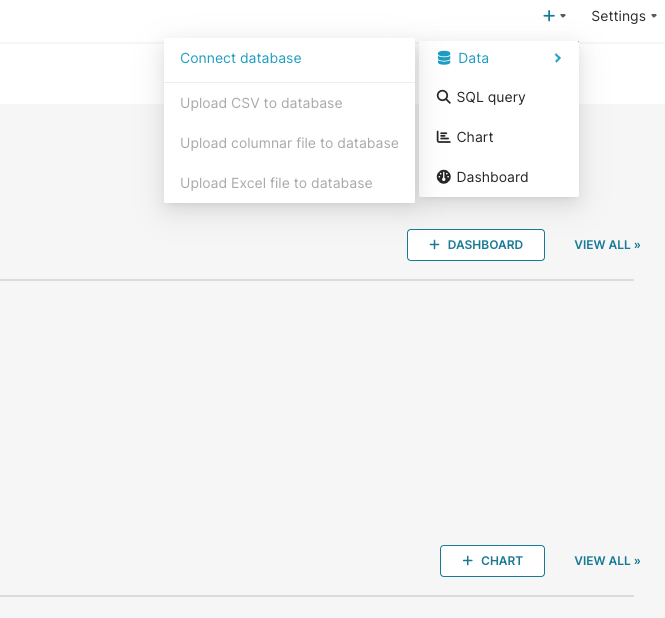
- Select
Otherfrom the list of supported databases.
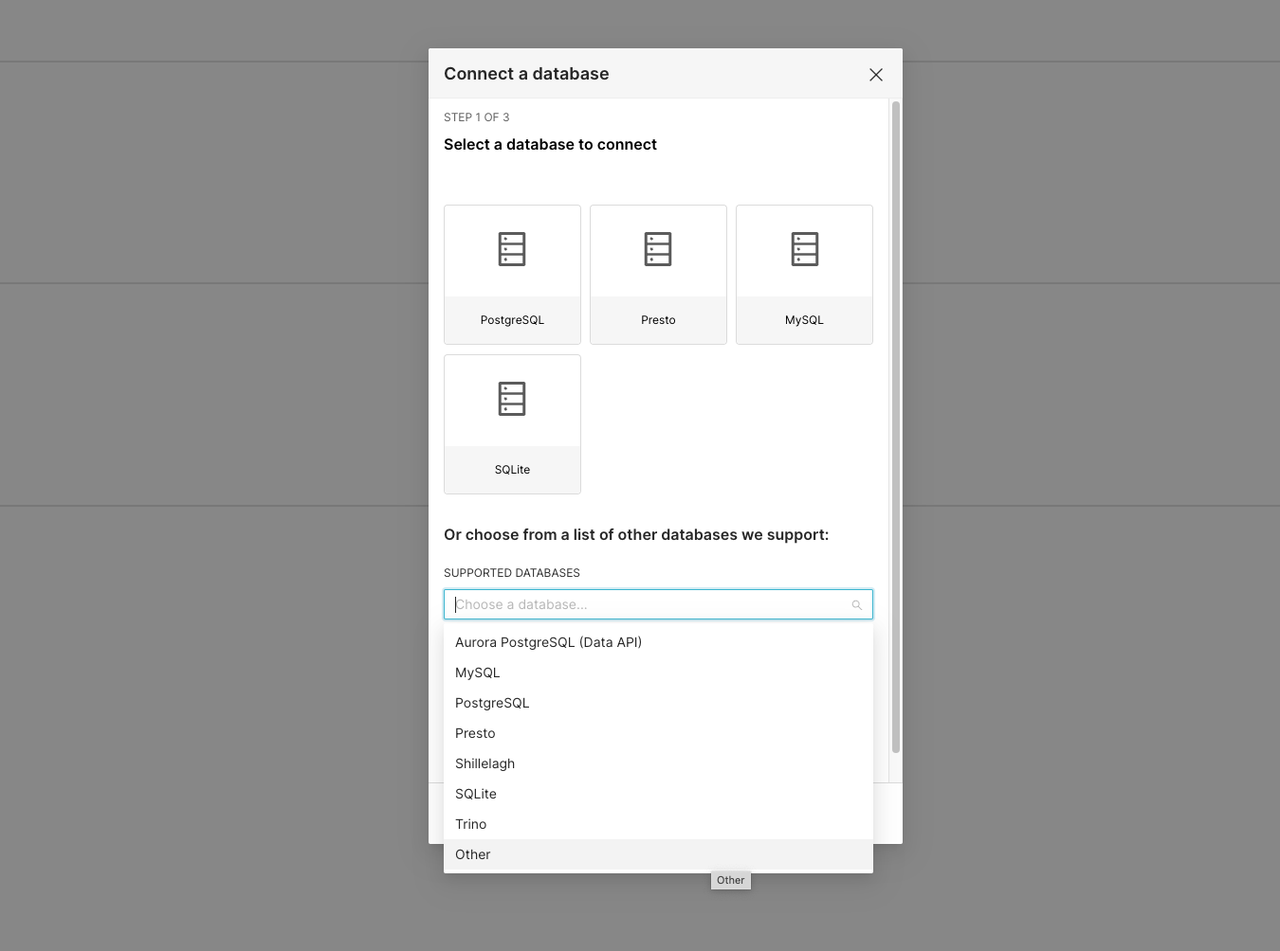
- On the BASIC tab, set a display name, for example,
Databend, and then enter the full SQLAlchemy DSN to connect to Databend Cloud. The DSN follows the format:databend://<username>:<password>@<host>:443/<database>?warehouse=<warehouse_name>, where each field corresponds to your warehouse's connection information. For information on how to obtain the connection details, refer to Connecting to a Warehouse.
The Databend data source does not yet support configuring the connection with individual parameters (separate host, port, username, password fields). You must connect using the full SQLAlchemy DSN, which includes the username, password, database, and warehouse in the URI: databend://<username>:<password>@<host>:443/<database>?warehouse=<warehouse_name>.
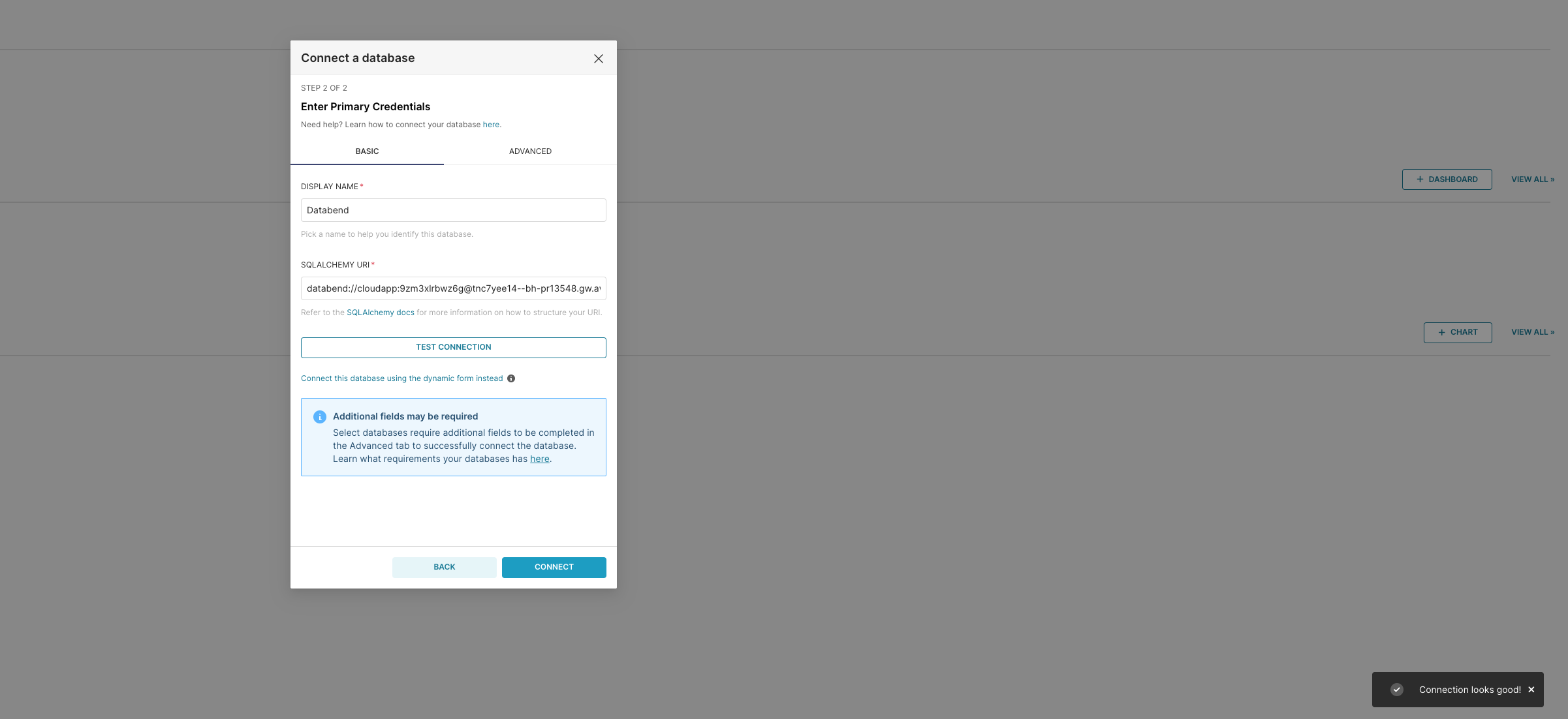
- Click TEST CONNECTION, which should result in a popup message saying, "Connection looks good!".