How to Setup AWS PrivateLink
-
Verify your VPC settings
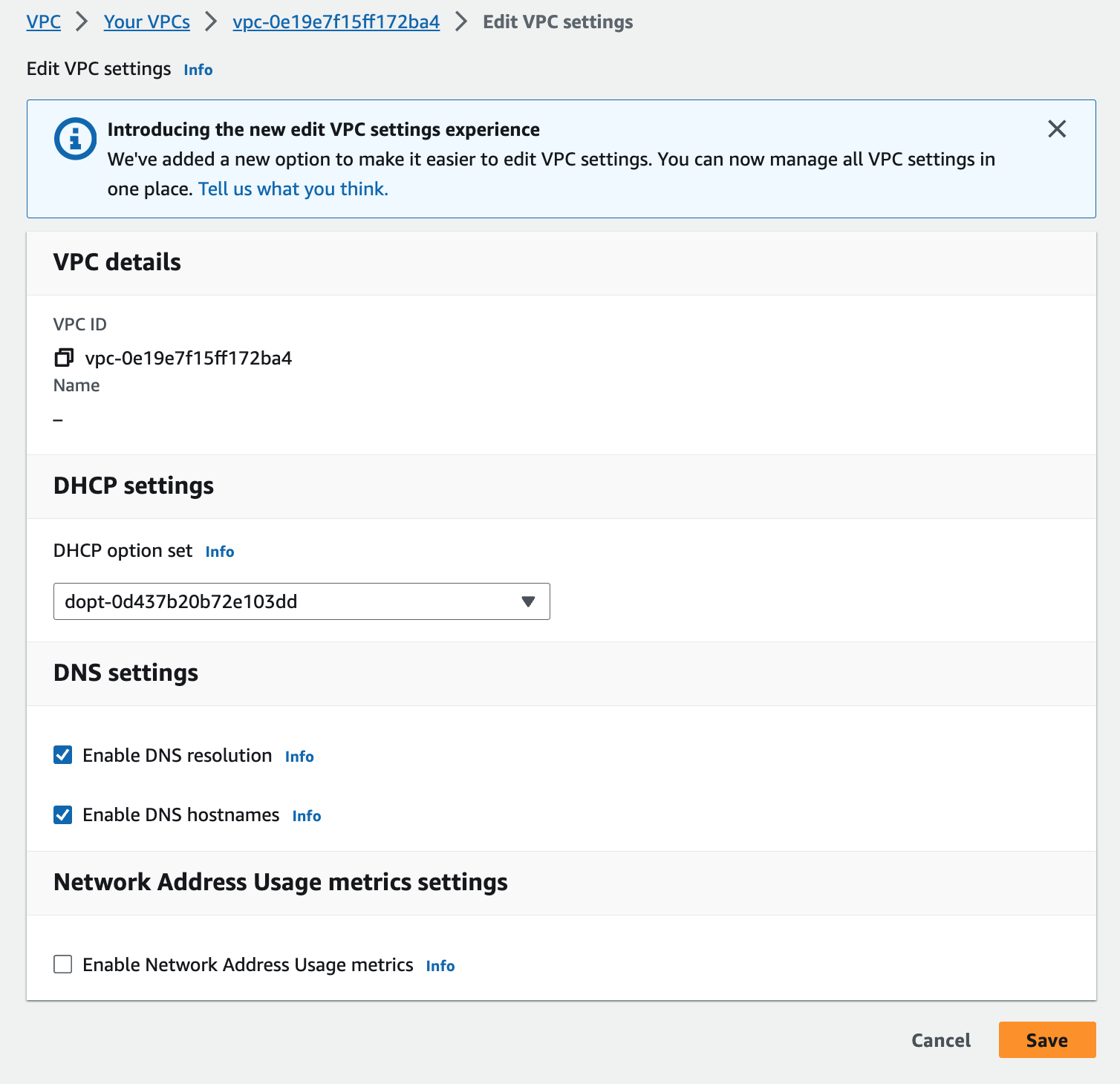
Ensure
Enable DNS resolutionandEnable DNS hostnamesare checked. -
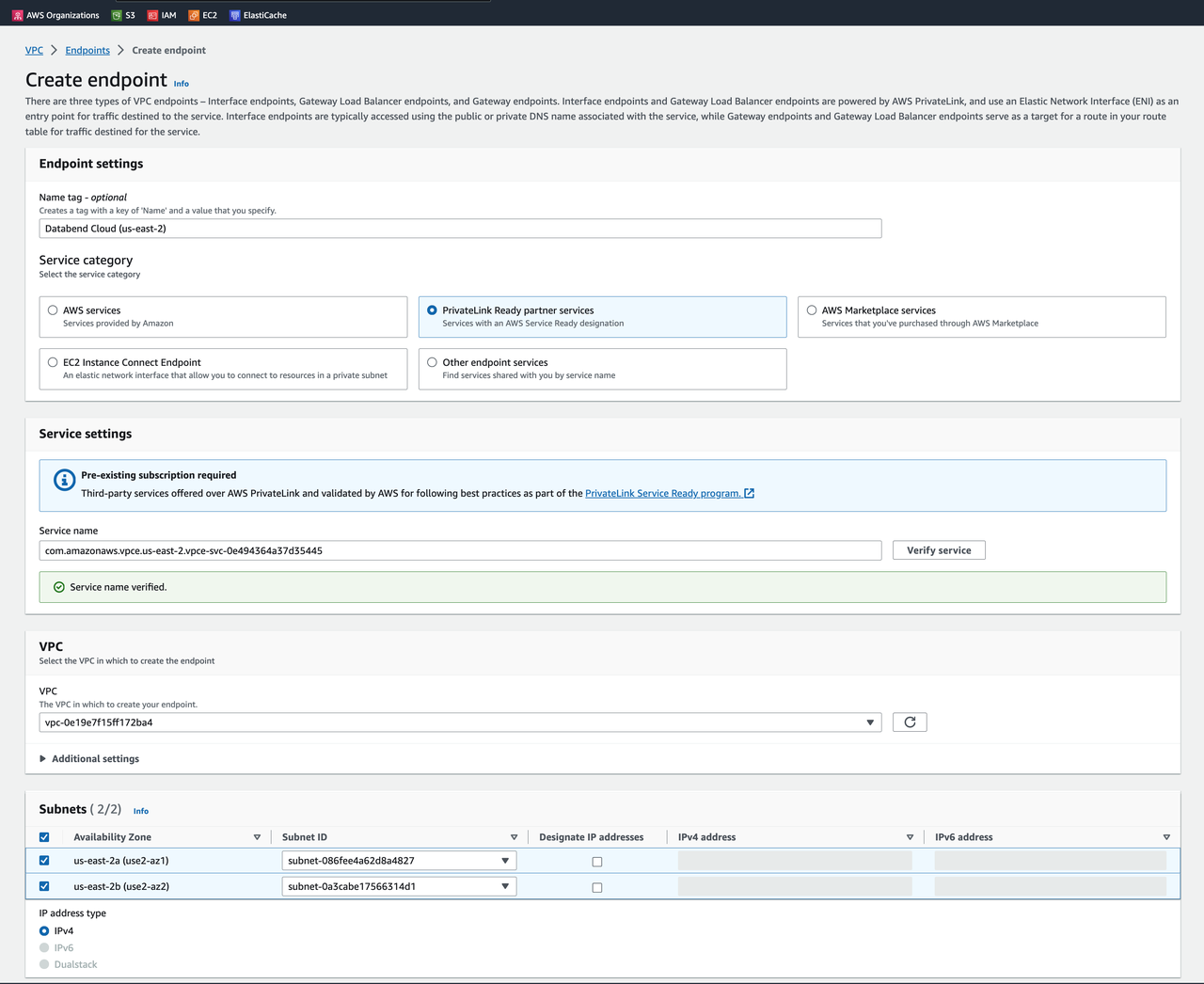
Get the service name to connect to from the Connect to Databend Cloud dialog:
For example:
com.amazonaws.vpce.us-east-2.vpce-svc-0123456789abcdef0 -
Prepare a security group with tcp 443 port open:
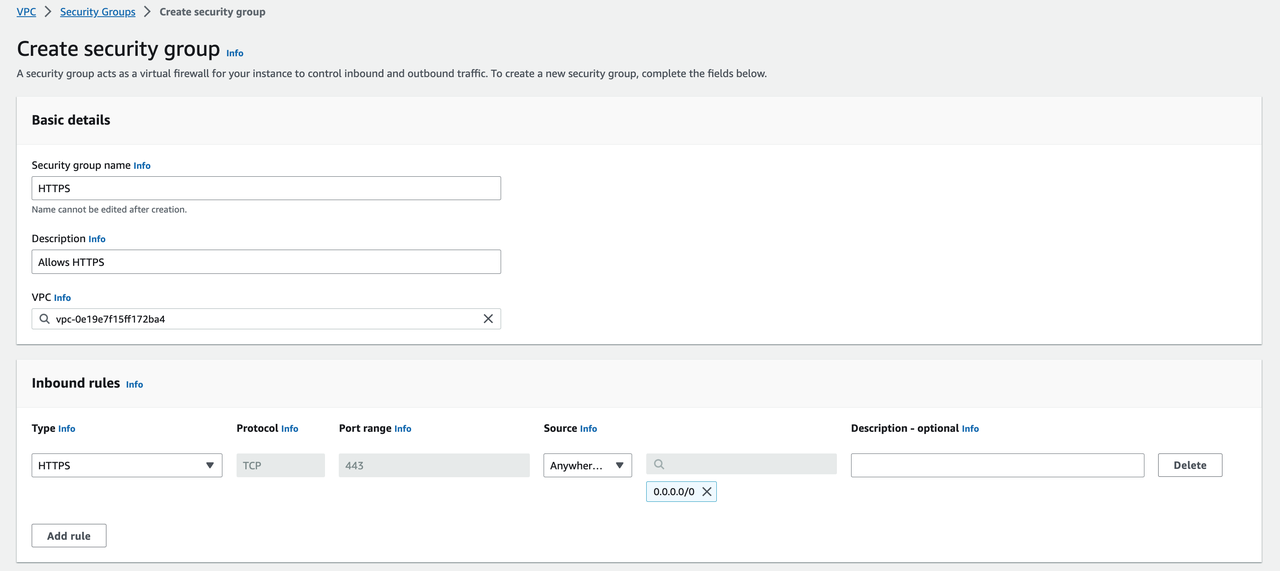
-
Goto AWS Console:
https://us-east-2.console.aws.amazon.com/vpcconsole/home?region=us-east-2#Endpoints:
Click
Create endpoint:
Select the previously created security group
HTTPS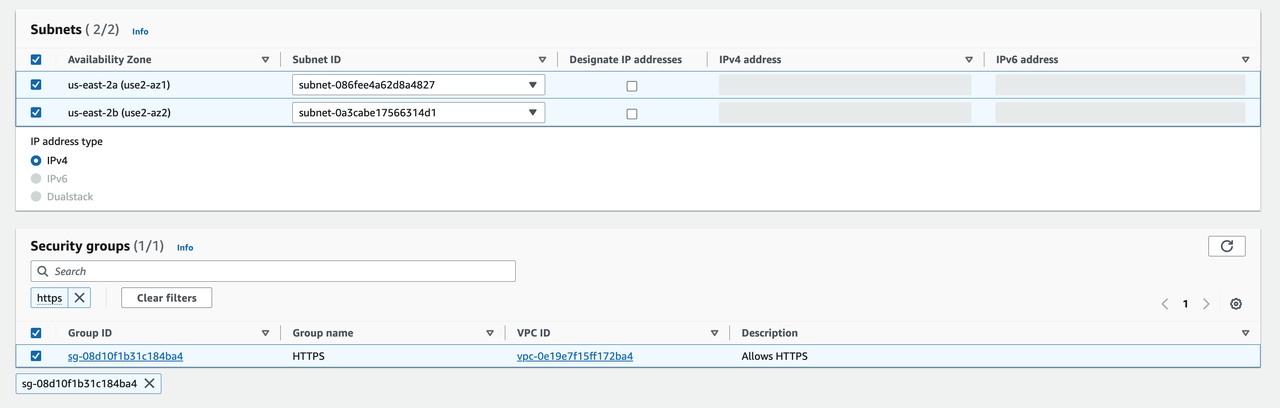
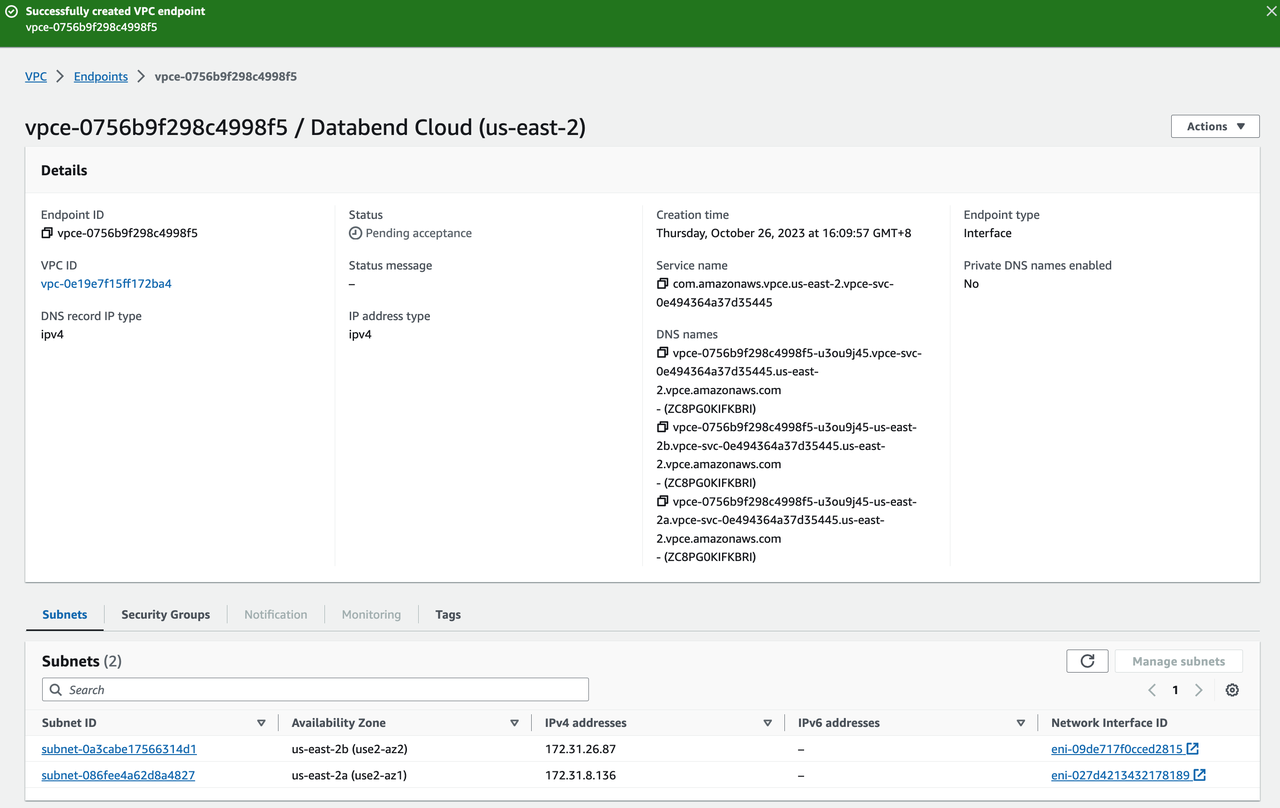
-
Wait for the PrivateLink creation:
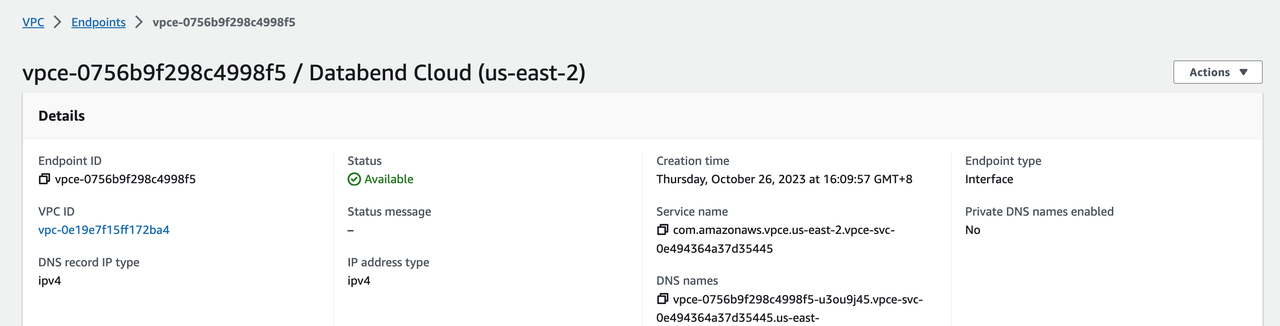
-
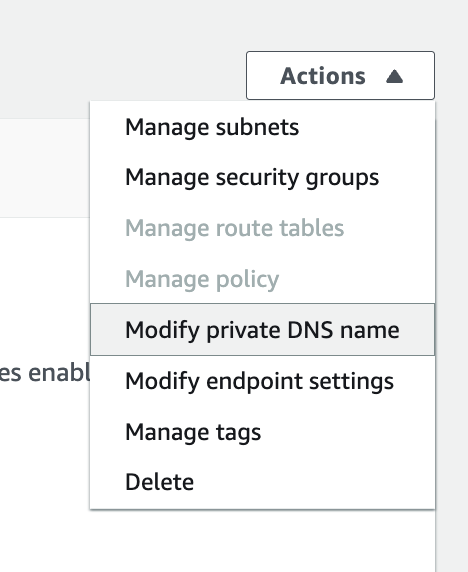
Modify private DNS name setting:
Enable private DNS names:
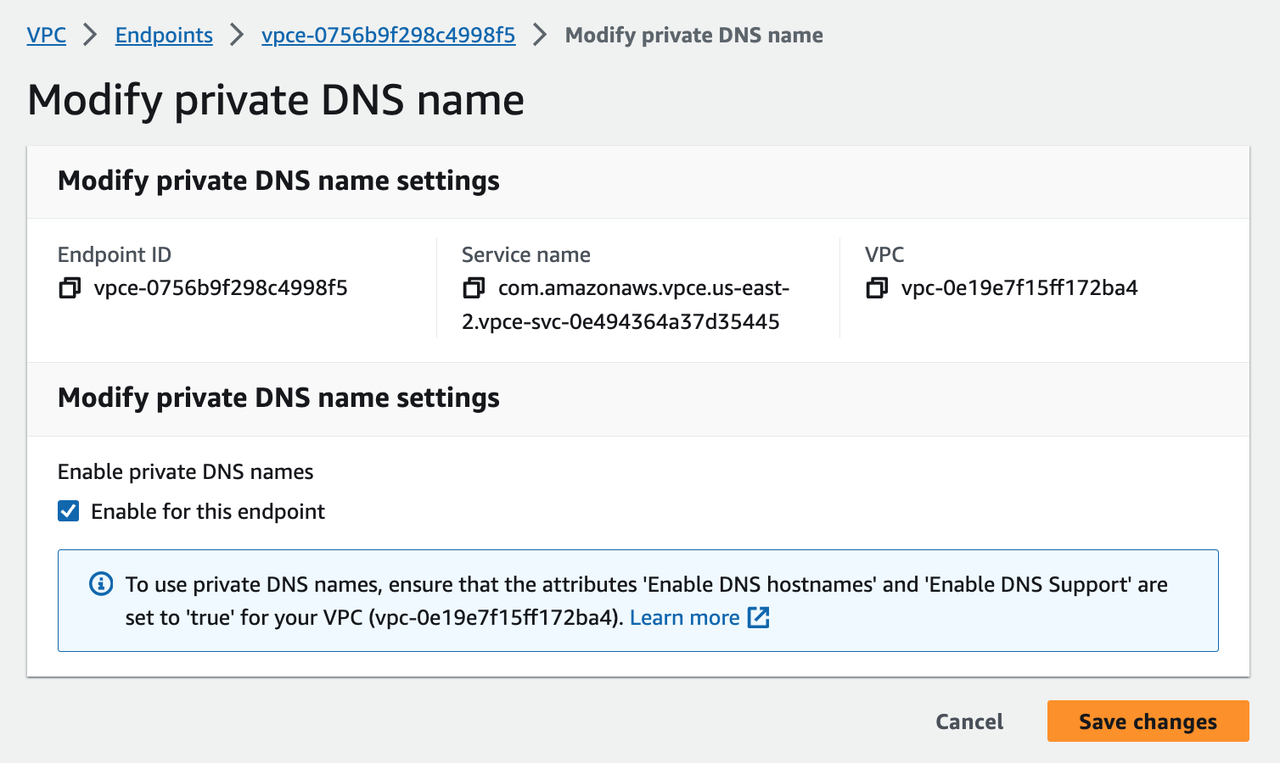
Wait for changes to apply.
-
Verify accessing Databend Cloud via PrivateLink:

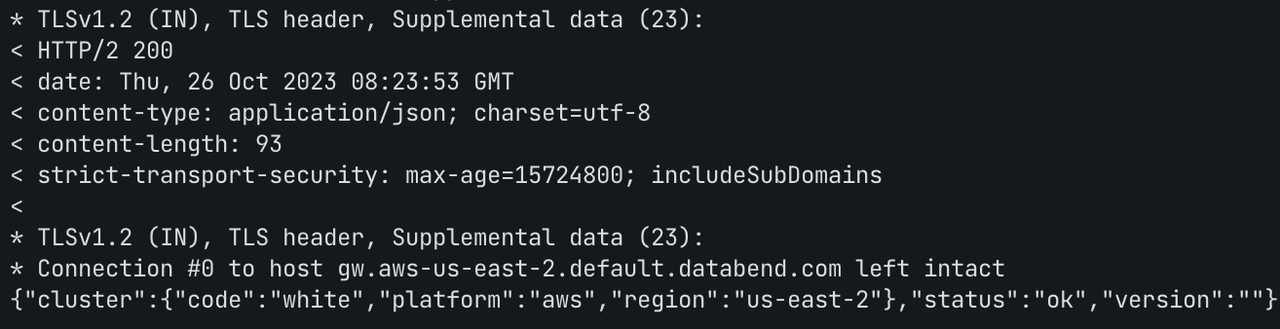
Gateway domain is resolved to VPC internal IP address.
Congratulations! You have successfully connected to Databend Cloud with AWS PrivateLink.