How to Use IAM Role
-
Raise a support ticket to get the IAM role ARN for your Databend Cloud organization:
For example:
arn:aws:iam::123456789012:role/xxxxxxx/tnabcdefg/xxxxxxx-tnabcdefg -
Goto AWS Console:
https://us-east-2.console.aws.amazon.com/iam/home?region=us-east-2#/policies
Click
Create policy, and selectCustom trust policy, and input the policy document for S3 bucket access:{"Version": "2012-10-17","Statement": [{"Effect": "Allow","Action": "s3:ListBucket","Resource": "arn:aws:s3:::test-bucket-123"},{"Effect": "Allow","Action": "s3:*Object","Resource": "arn:aws:s3:::test-bucket-123/*"}]}Click
Next, and input the policy name:databend-test, and clickCreate policy -
Goto AWS Console:
https://us-east-2.console.aws.amazon.com/iam/home?region=us-east-2#/roles
Click
Create role, and selectCustom trust policyinTrusted entity type: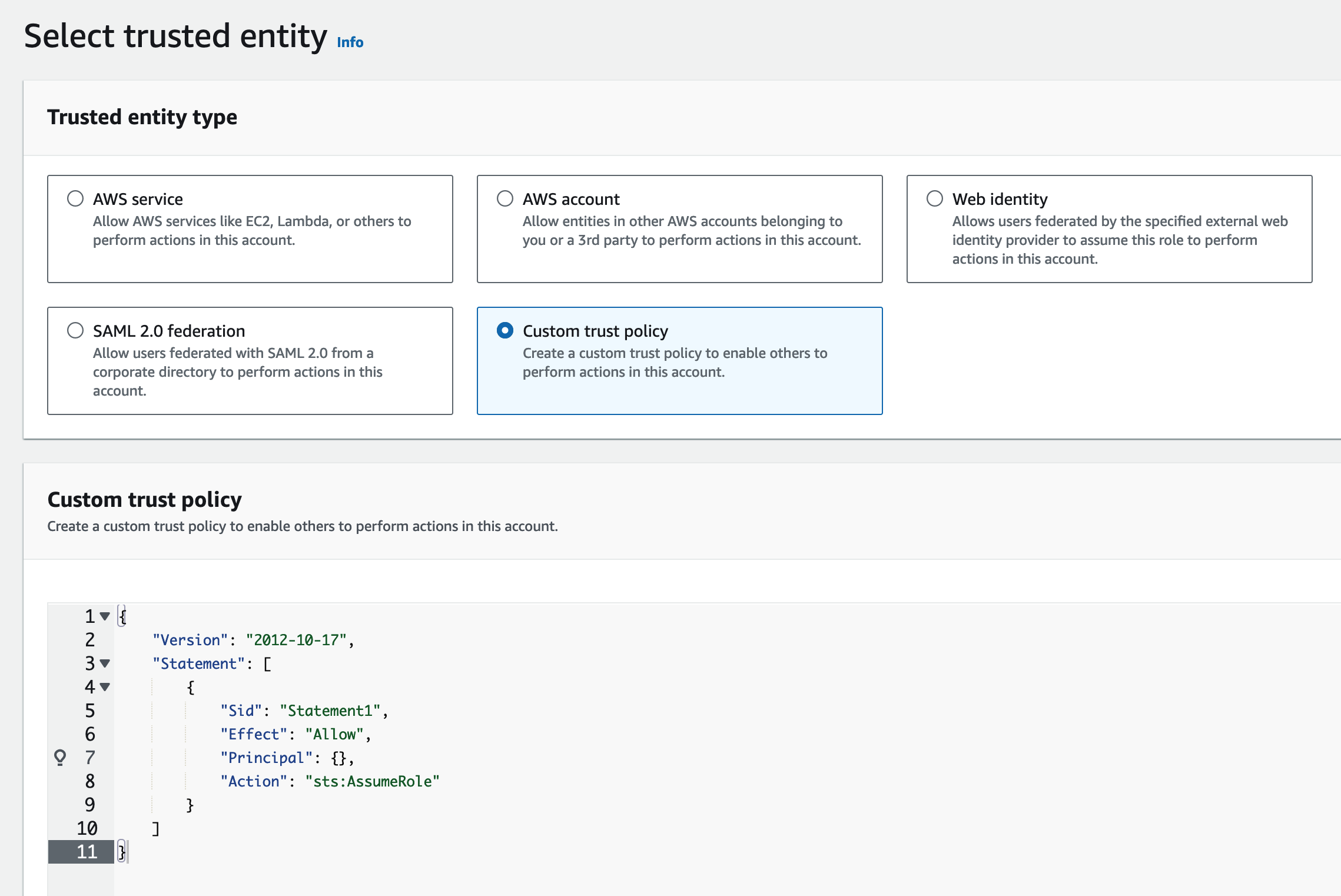
Input the the trust policy document:
{"Version": "2012-10-17","Statement": [{"Effect": "Allow","Principal": {"AWS": "arn:aws:iam::123456789012:role/xxxxxxx/tnabcdefg/xxxxxxx-tnabcdefg"},"Condition": {"StringEquals": {"sts:ExternalId": "my-external-id-123"}},"Action": "sts:AssumeRole"}]}Click
Next, and select the previously created policy:databend-testClick
Next, and input the role name:databend-testClick
View Role, and record the role ARN:arn:aws:iam::987654321987:role/databend-test -
Run the following SQL statement in Databend Cloud cloud worksheet or
BendSQL:CREATE CONNECTION databend_test STORAGE_TYPE = 's3' ROLE_ARN = 'arn:aws:iam::987654321987:role/databend-test' EXTERNAL_ID = 'my-external-id-123';CREATE STAGE databend_test URL = 's3://test-bucket-123' CONNECTION = (CONNECTION_NAME = 'databend_test');SELECT * FROM @databend_test/test.parquet LIMIT 1;
Congratulations! You could now access your own AWS S3 buckets in Databend Cloud with IAM Role.