PostgreSQL - Credentials
This page describes how to create a PostgreSQL - Credentials data source. This data source stores the connection information required to access PostgreSQL and can be reused across multiple PostgreSQL integration tasks.
Use Cases
- Manage host, port, and account information centrally for multiple PostgreSQL sync tasks
- Avoid re-entering the same database connection settings in every task
- Update all dependent tasks in one place when the database endpoint or account changes
Create PostgreSQL - Credentials
- Navigate to Data > Data Sources and click Create Data Source.
- Select PostgreSQL - Credentials as the service type, then fill in the connection details:
| Field | Required | Description |
|---|---|---|
| Name | Yes | A descriptive name for this data source |
| Hostname | Yes | PostgreSQL server hostname or IP address |
| Port Number | Yes | PostgreSQL server port (default: 5432) |
| DB Username | Yes | Username used to access PostgreSQL |
| DB Password | Yes | Password for the PostgreSQL user |
| Database Name | Yes | The source database name |
| SSL Mode | No | SSL connection mode: disable, require, verify-ca, or verify-full (default: disable) |
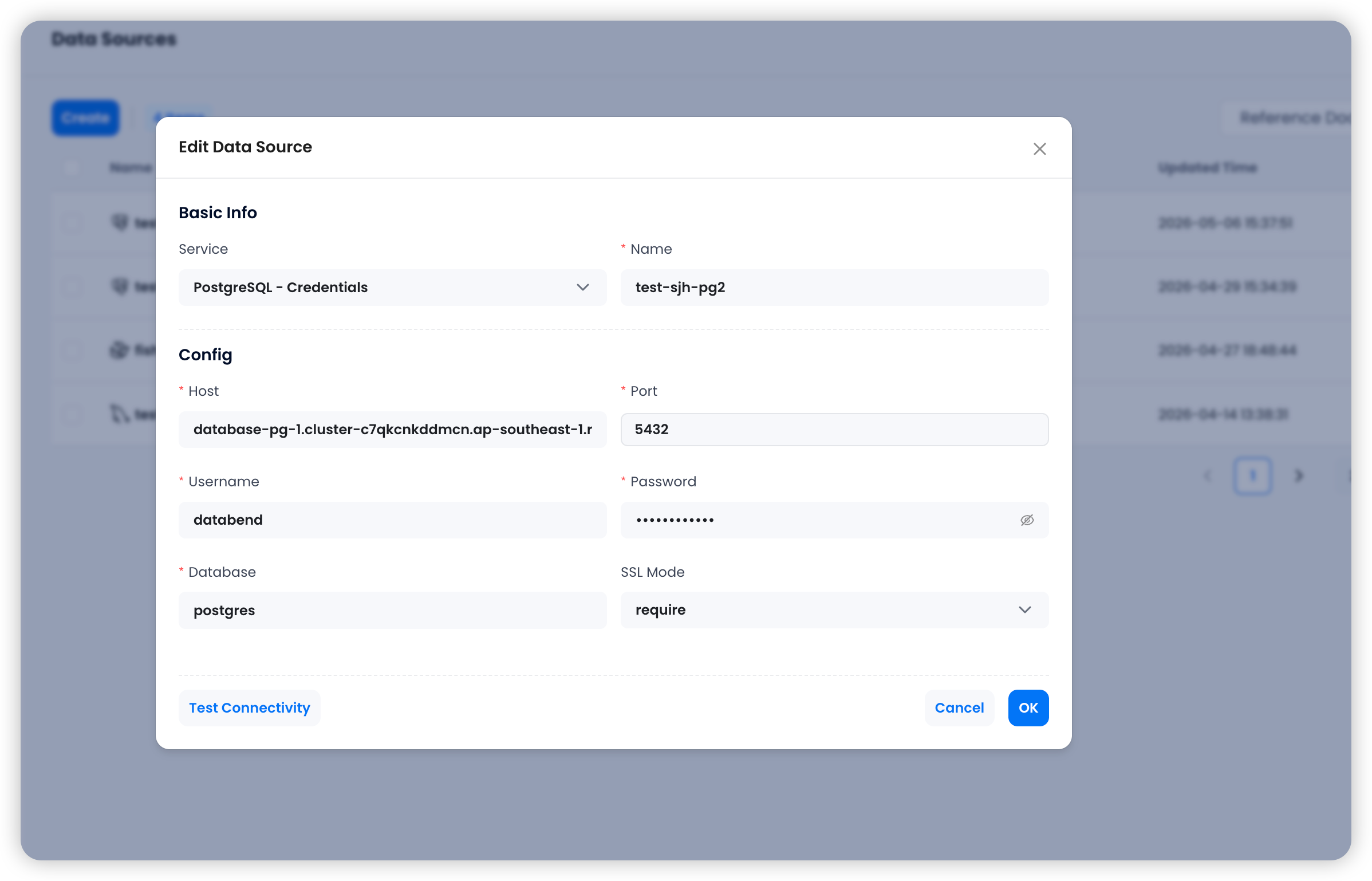
- Click Test Connectivity to validate the connection. If the test succeeds, click OK to save the data source.
Usage Recommendations
- Use a dedicated PostgreSQL account instead of sharing one with application workloads
- If you plan to create
CDC OnlyorSnapshot + CDCtasks, make sure the account has replication-related privileges - Verify network access, WAL configuration, and permissions before creating downstream tasks
Next Steps
After creating this data source, you can use it to create a PostgreSQL Integration Task.