FeiShuBot
This page describes how to create a FeiShuBot data source. This data source stores a FeiShu bot webhook and message template and is typically used for task failure notifications.
Use Cases
- Send notifications to a FeiShu group when a task run fails
- Reuse the same bot configuration and message template across multiple tasks
- Manage the notification endpoint and message format centrally
Create FeiShuBot
- Navigate to Data > Data Sources and click Create Data Source.
- Select FeiShuBot as the service type, then fill in the fields:
| Field | Required | Description |
|---|---|---|
| Name | Yes | A descriptive name for this data source. Only letters, numbers, and underscores are supported |
| URL | Yes | Custom FeiShu bot webhook URL |
| Warehouse | Yes | The warehouse used to create the NOTIFICATION INTEGRATION |
| Payload | Yes | Message payload type. Currently, only Task Error is supported |
| Template | Yes | Custom message template |
- Click Test Connectivity to validate the configuration. If the test succeeds, click OK to save the data source.
Usage
FeiShuBot can be used with the SQL Task ERROR_INTEGRATION property, or referenced from the console Task Flow UI through Error Notification.
Set a SQL Task Property
Set the Task ERROR_INTEGRATION property. In the following example, the data source name is test_1:
CREATE TASK my_daily_task
   WAREHOUSE = 'compute_wh'
   SCHEDULE = USING CRON '0 0 9 * * *' 'America/Los_Angeles'
   COMMENT = 'Daily summary task'
   ERROR_INTEGRATION = 'test_1'
AS
   INSERT INTO summary_table SELECT * FROM source_table;
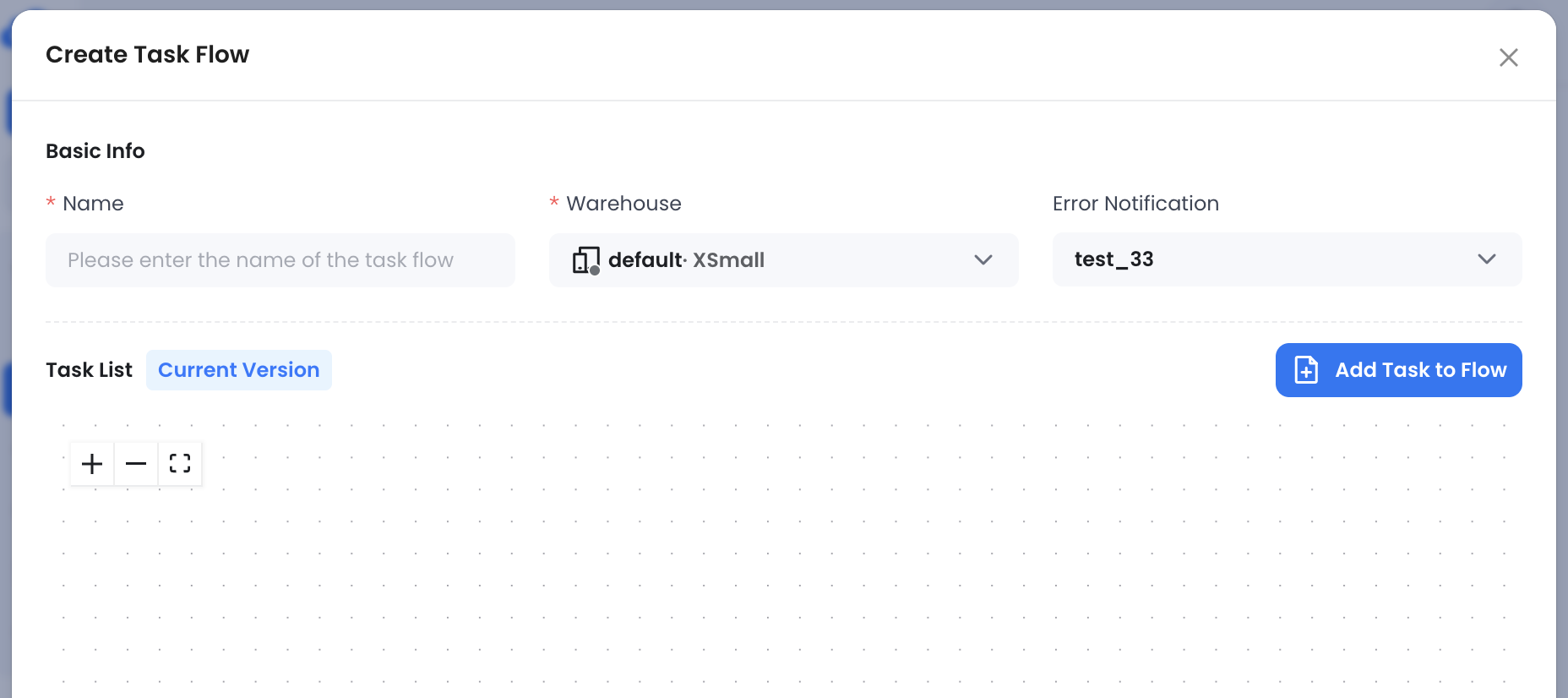
Configure It in the Task Flow UI
On the create or edit page, set Error Notification to the corresponding FeiShuBot data source.
Customize the Task Error Template
Default template:
**[ALERT] {{ .MessageType }} - {{ .TaskName }}**
---
taskId: {{ .TaskId }}
taskName: {{ .TaskName }}
tenantId: {{ .TenantId }}

Messages: {{ range .Messages }}
- runId: {{ .RunId }}
  queryId: {{ .QueryId }}
  error: {{ .ErrorKind }} ({{ .ErrorCode }})
  message: {{ .ErrorMessage }} {{ end }}

---
{{ .Timestamp }}
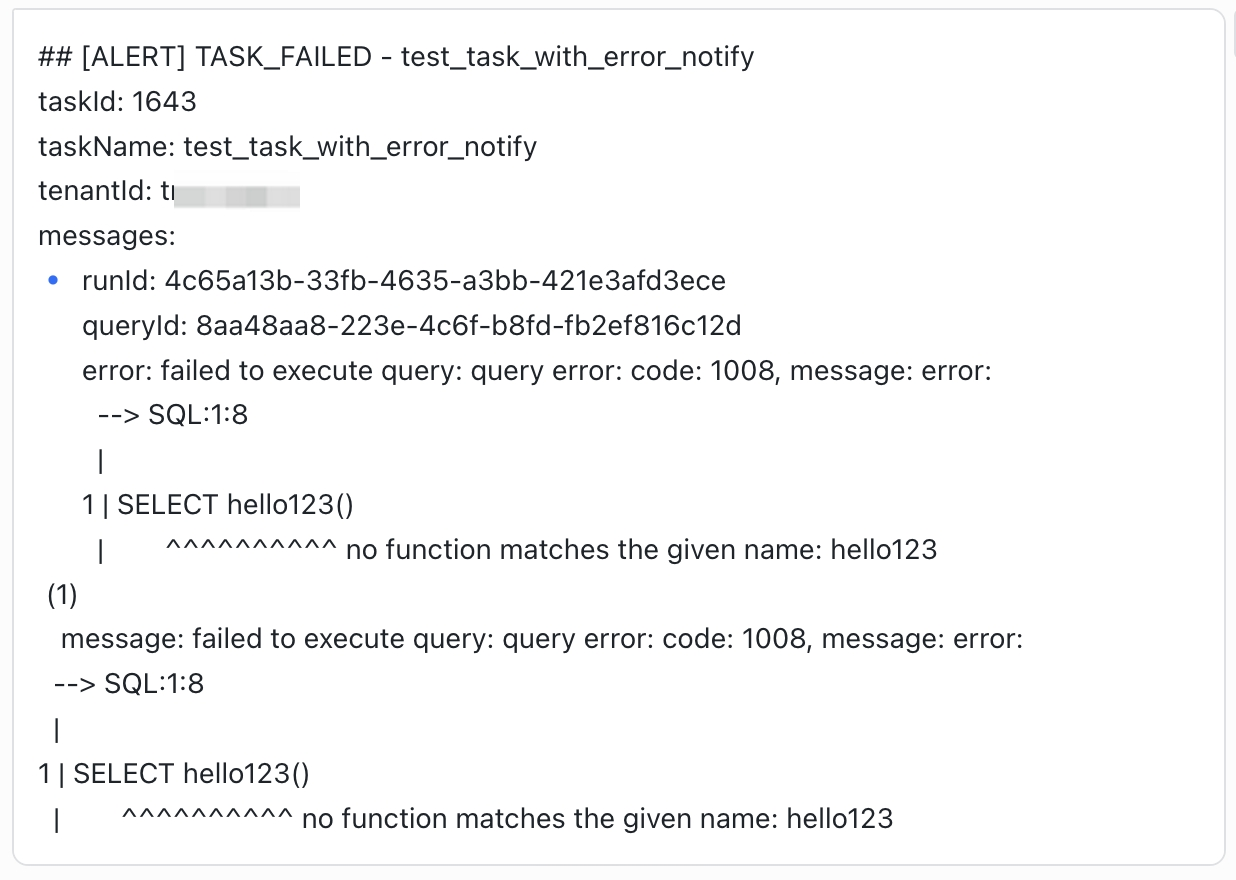
A received message looks similar to this:
Custom templates support:
- Markdown content
- Golang template syntax
The following variables are available:
type ErrorIntegrationPayload struct {
        Version      string          `json:"version"`
        MessageId    string          `json:"messageId"`
        MessageType  string          `json:"messageType"`
        Timestamp    time.Time       `json:"timestamp"`
        TenantId     string          `json:"tenantId"`
        TaskName     string          `json:"taskName"`
        TaskId       string          `json:"taskId"`
        RootTaskName string          `json:"rootTaskName"`
        RootTaskId   string          `json:"rootTaskId"`
        Messages     []*ErrorMessage `json:"messages"`
}

type ErrorMessage struct {
        RunId          string     `json:"runId"`
        ScheduledTime  time.Time  `json:"scheduledTime"`
        QueryStartTime *time.Time `json:"queryStartTime"`
        CompletedTime  *time.Time `json:"completedTime"`
        QueryId        string     `json:"queryId"`
        ErrorKind      string     `json:"errorKind"`
        ErrorCode      string     `json:"errorCode"`
        ErrorMessage   string     `json:"errorMessage"`
}
Notes
FeiShuBot is a notification-oriented data source. It is not used to load business data into Databend.
To send a message from SQL instead of a task failure notification, see Sending Notifications from SQL.