Amazon S3 - Credentials
This page describes how to create an Amazon S3 - Credentials data source. This data source stores the credentials required to access Amazon S3 and can be reused across multiple S3 integration tasks.
Use Cases
- Manage one set of AWS Access Key and Secret Key credentials for multiple S3 import tasks
- Avoid re-entering the same S3 access credentials in every task
- Update credentials centrally when they are rotated
Create Amazon S3 - Credentials
- Navigate to Data > Data Sources and click Create Data Source.
- Select Amazon S3 - Credentials as the service type, then fill in the credentials:
| Field | Required | Description |
|---|---|---|
| Name | Yes | A descriptive name for this data source |
| Access Key | Yes | AWS Access Key ID |
| Secret Key | Yes | AWS Secret Access Key |
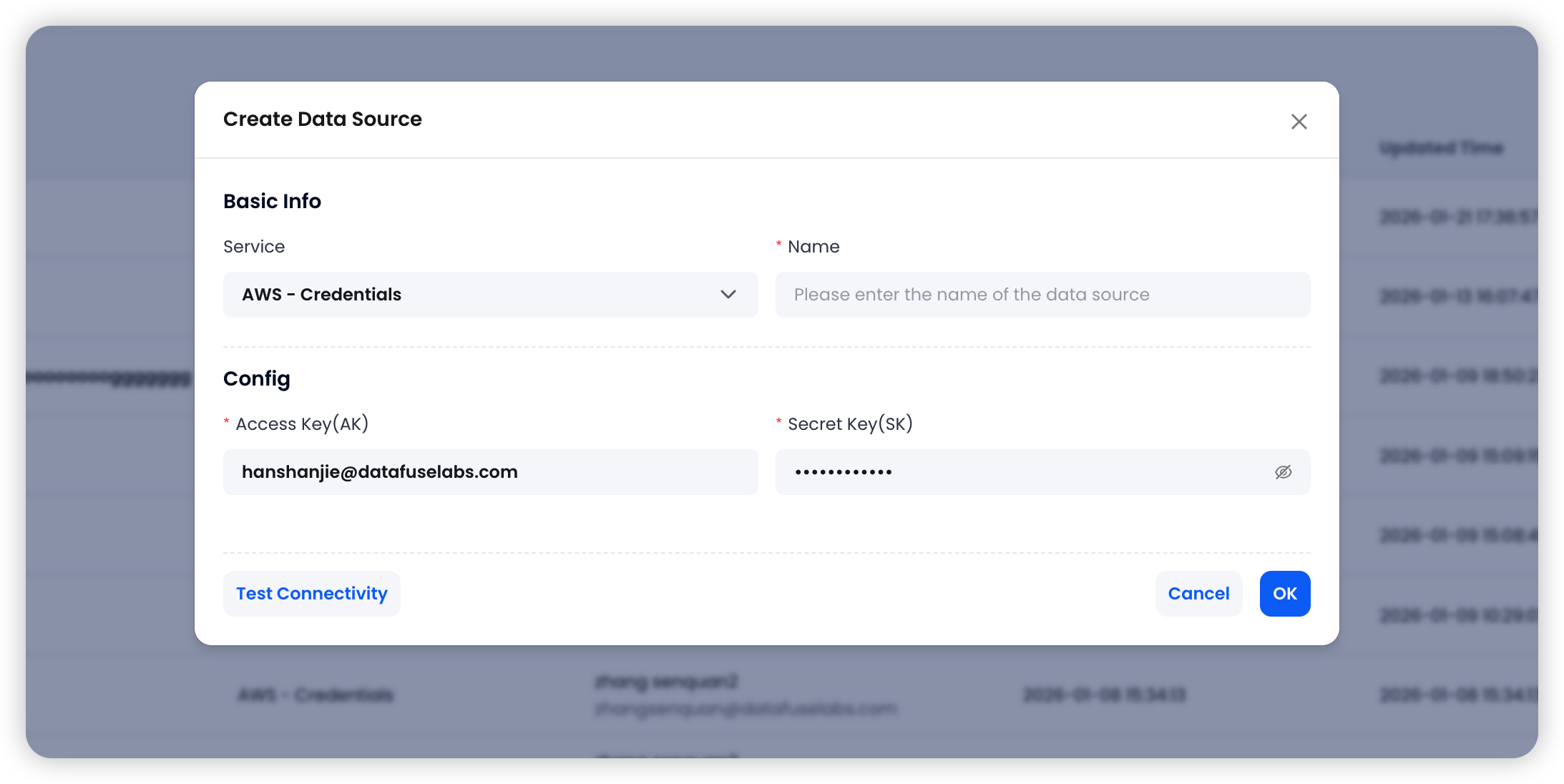
- Click Test Connectivity to validate the credentials. If the test succeeds, click OK to save the data source.
Permission Requirements
The AWS credentials must have read access to the target S3 bucket. If downstream tasks will enable Clean Up Original Files, the credentials must also have write and delete permissions.
Next Steps
After creating this data source, you can use it to create an Amazon S3 Integration Task.