Data Sources
A data source in Databend Cloud represents a connection to an external system. It stores the credentials and connection details required to access external systems and can be reused across multiple integration tasks or notification scenarios.
Data sources do not execute synchronization by themselves. Their role is to centralize access settings so you do not need to repeatedly enter accounts, passwords, keys, or notification endpoints in every task.
Supported Data Source Types
| Type | Purpose |
|---|---|
| Amazon S3 - Credentials | Stores the Access Key and Secret Key required to access Amazon S3. These credentials can be reused across multiple S3 import tasks. |
| Amazon SQS (S3) - IAM Role (Beta) | Stores the queue URL, Region, IAM Role, and S3 path scope required for SQS (S3) ingestion. It can be used to consume S3 object creation events. |
| MySQL - Credentials | Stores the host, port, username, password, and database information required to access MySQL. These settings can be reused across multiple MySQL sync tasks. |
| PostgreSQL - Credentials | Stores the host, port, username, password, and database information required to access PostgreSQL. These settings can be reused across multiple PostgreSQL sync tasks. |
| TiDB - Credentials (Beta) | Stores the object storage location, credentials, and optional event queue used by TiDB Cloud Lake to read data staged by a TiDB cluster. These settings can be reused across multiple TiDB sync tasks. |
| FeiShuBot | Stores a FeiShu bot webhook and message template for task failure notifications and similar scenarios. |
| Kafka - Credentials (Beta) | Stores the broker addresses, authentication method, and connection credentials required to access Kafka. These settings can be reused by Kafka Consumer tasks. |
Not every data source corresponds to an integration task. For example, FeiShuBot is used for notification configuration, while Amazon S3 - Credentials, Amazon SQS (S3) - IAM Role, MySQL - Credentials, PostgreSQL - Credentials, TiDB - Credentials, and Kafka - Credentials are referenced by actual import, synchronization, or event-consuming tasks.
Managing Data Sources
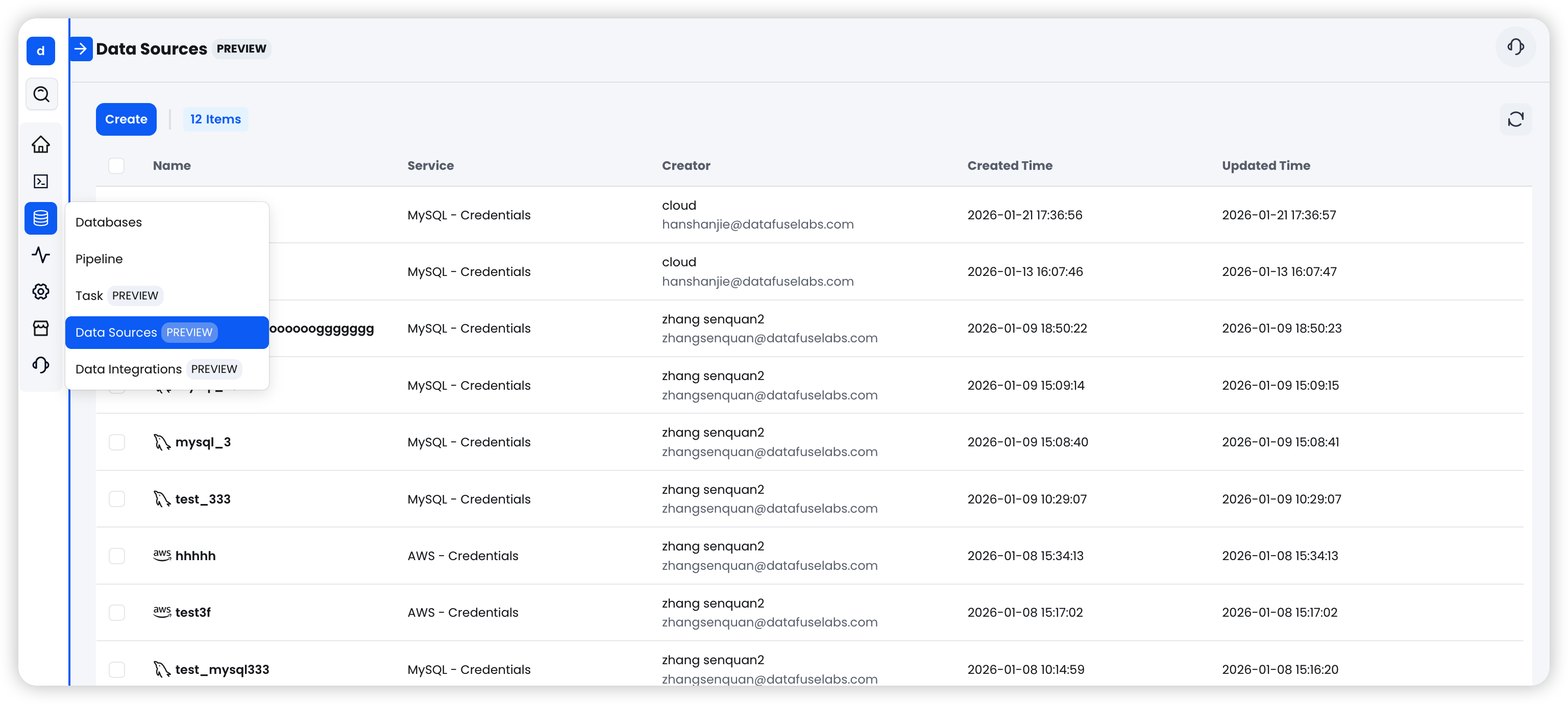
Navigate to Data > Data Sources. From this page, you can:
- View all configured data sources
- Create new data sources
- Edit or delete existing data sources
- Test connectivity to validate credentials
Run Test Connectivity before saving a data source to catch issues such as invalid credentials, missing permissions, or network restrictions as early as possible.
Next Steps
After creating a data source, you can reference it in an integration task or a notification configuration, depending on its purpose.