Cloud Agent
Cloud Agent is an AI assistant embedded in the Databend Cloud console. Ask questions in natural language — about your data, your warehouses, your bill, or a task you want to automate — and the Agent works directly inside the console to get it done: it runs SQL, renders charts, manages resources, configures data pipelines, and more.
You remain in control at every step: read-only actions run immediately, anything that modifies your account or data always asks for confirmation first, and your query results stay in your browser unless you explicitly choose to share them.
Opening Cloud Agent
You can open Cloud Agent in two ways:
| Entry | How to open | Opens as | Use it when |
|---|---|---|---|
| Menu | Click Cloud Agent in the left navigation menu. | Full page | You want a dedicated workspace for longer conversations. |
| Shortcut button | Click the Cloud Agent button in the bottom-right corner of any console page. | Side panel | You want to ask a quick question and stay on the current page. |
From the Navigation Menu
Click Cloud Agent in the left navigation menu. The Agent opens as a full page:
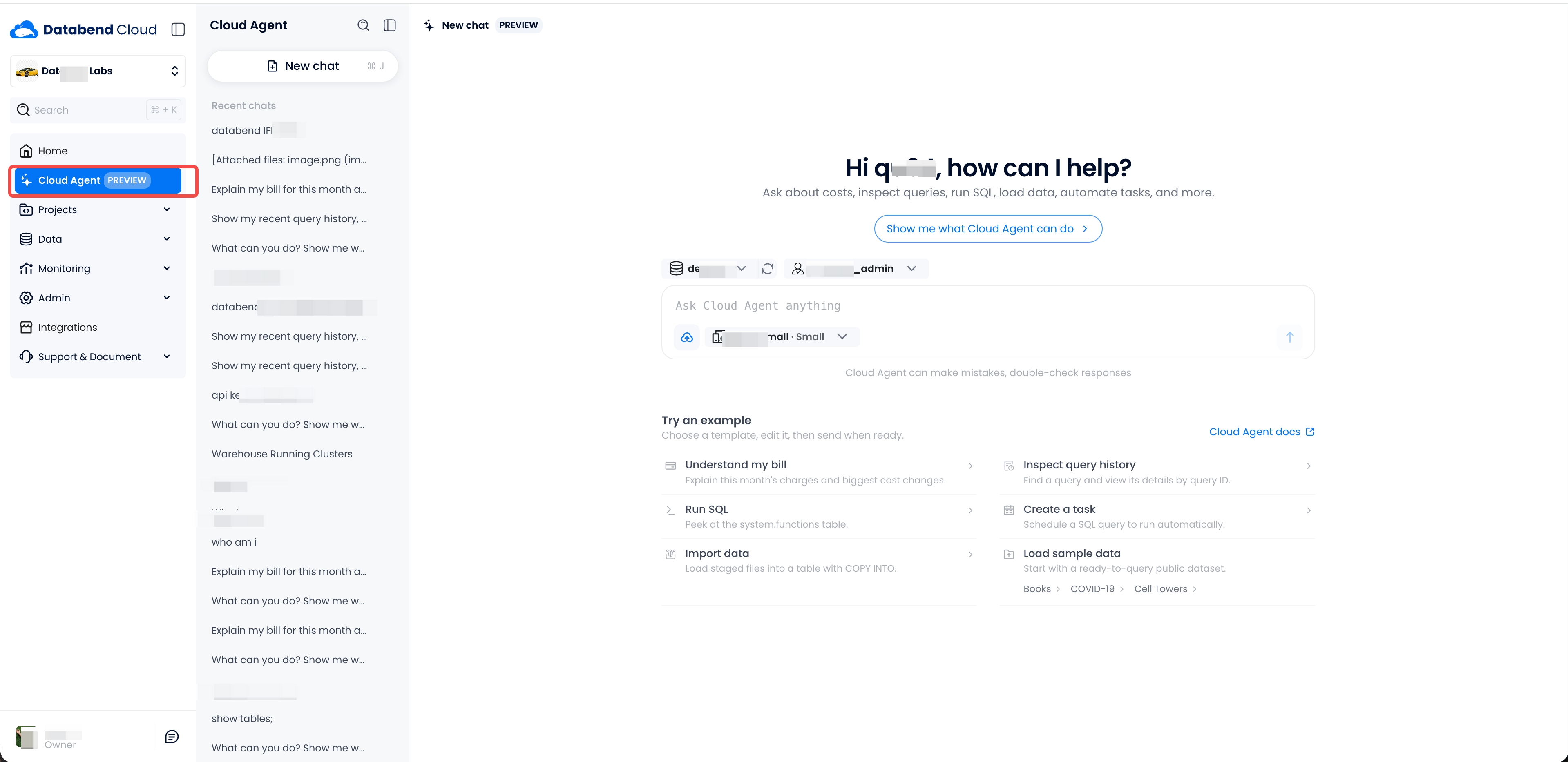
The full page has these areas:
- Chat list: the left column shows your recent chats. Click New chat (or press
⌘ J) to start a new conversation. Click the search icon to find an earlier chat. - Context selectors: select the database, role, and warehouse above and inside the input box.
From the Shortcut Button
The shortcut button stays in the bottom-right corner of every console page. Click it to open the Agent as a side panel:
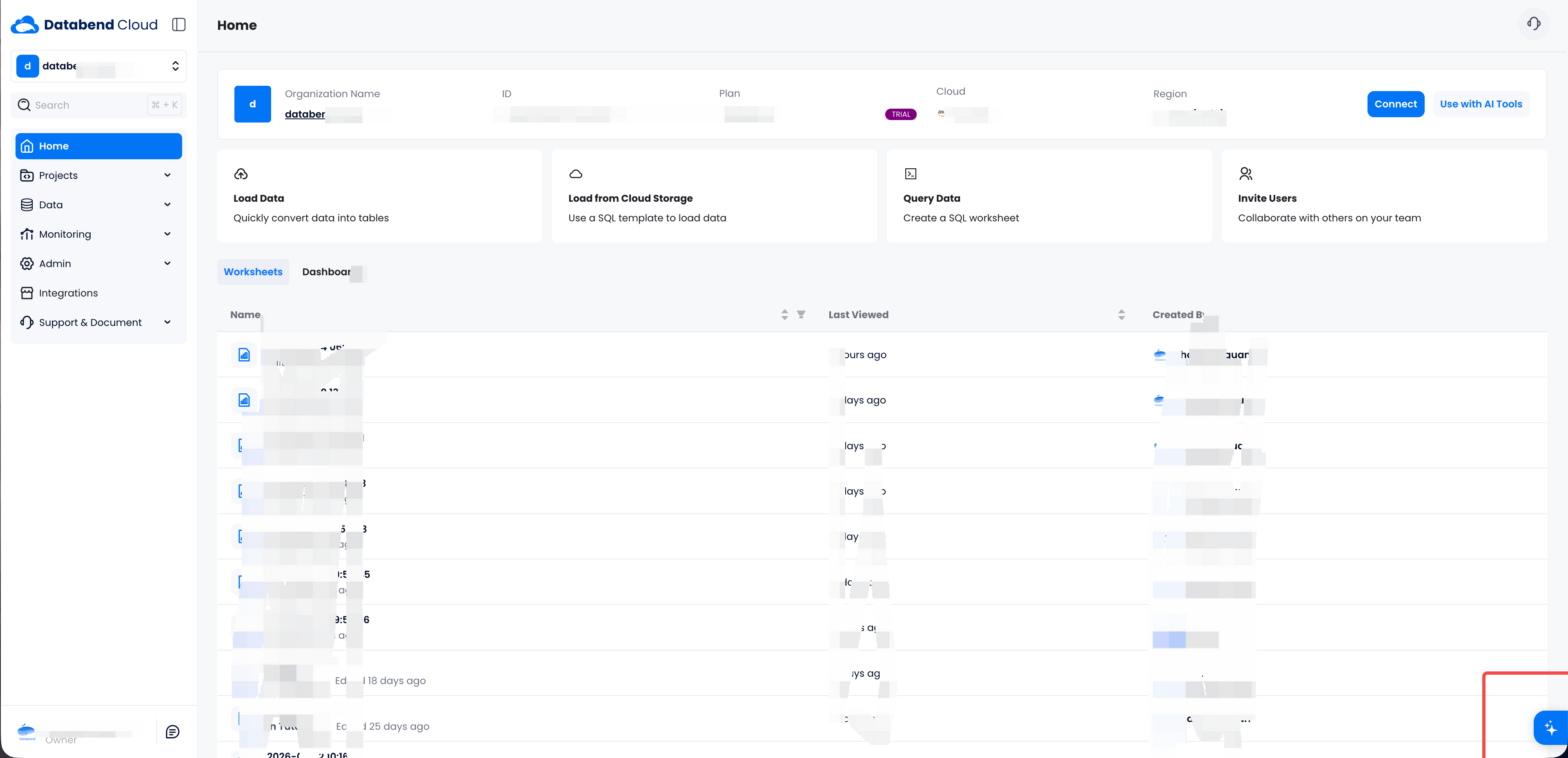
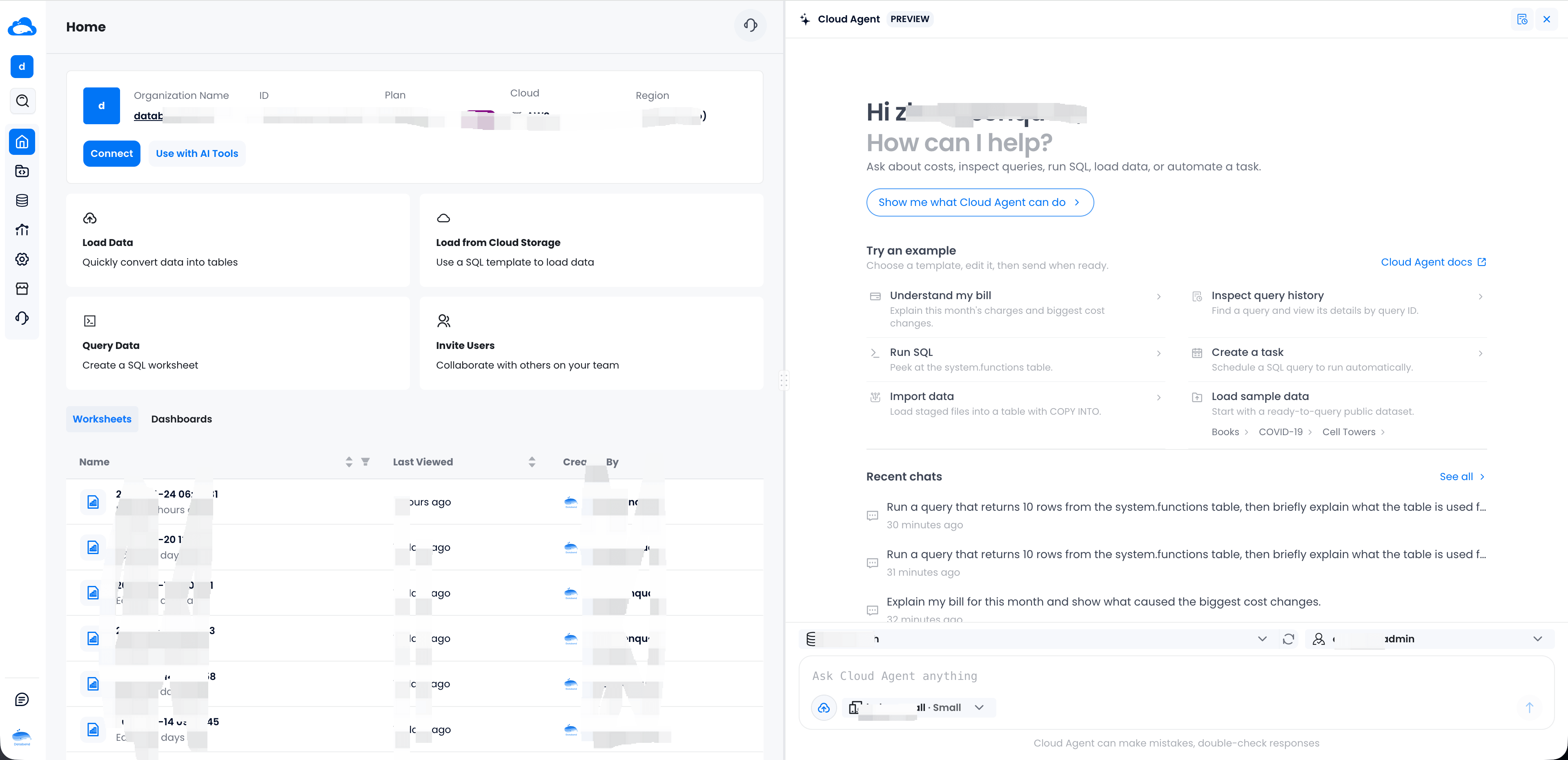
Common Elements
Both entries have the same elements:
- Context: the Agent uses the selected warehouse, database, and role. Queries run on the selected warehouse with the selected role. The Agent can only do what your role permits.
- Try an example: one-click templates for common tasks. Click a template, edit the text, then send it.
- Recent chats: your previous conversations. Open a chat to continue your earlier work.
What Cloud Agent Can Do
Cloud Agent covers the console end to end through 20+ capability domains and 100+ individual tools. You don't need to pick a tool — just describe what you want and the Agent loads the right capability for the job.
Query and Analyze Data
| Capability | What you can do |
|---|---|
| SQL | Explore schemas, turn natural language into Databend SQL, and execute it. Read-only statements run immediately; writes and DDL ask for confirmation first. |
| Charts | Turn query results into visualizations — 12 chart types with automatic type selection, rendered locally in your browser. |
| Query History | Search past SQL by time, user, warehouse, status, or duration; drill into slow or failed queries and jump to Query Profile. |
| Running SQL | See what is executing right now on a warehouse to track down stuck or resource-heavy queries. |
| Data Lineage | Explore table lineage and dependencies. |
| Files | Ask questions about uploaded files (CSV, Parquet, NDJSON, and more), or load them into tables with COPY INTO. |
| Sample Data | Load ready-to-query public datasets (Books, COVID-19, Cell Towers) to try things out. |
Manage Resources
| Capability | What you can do |
|---|---|
| Warehouses | List, inspect, create, start/stop, resize, rename, and delete warehouses. |
| Worksheets | Organize SQL worksheets and folders, restore version history, and edit the worksheet you currently have open. |
| Tasks & Flows | Inspect tasks, flows, and their execution history, compare versions, and safely execute, pause, resume, or delete them. |
Integrate Data
| Capability | What you can do |
|---|---|
| Data Integration | Set up continuous sync pipelines from S3/SQS, MySQL, PostgreSQL, TiDB, and Kafka, guided by a discover → preview → configure flow. |
| Data Sources | Manage stored connections for MySQL, PostgreSQL, Kafka, AWS, TiDB, Feishu, and more. |
Billing and Costs
| Capability | What you can do |
|---|---|
| Billing | Check balance, vouchers, month-to-date charges, daily breakdowns, and billing history; export to XLSX; ask for trend, anomaly, or cost-attribution analysis. |
Organization and Account
| Capability | What you can do |
|---|---|
| Account & Org | View account and organization profiles, rename, and switch organizations. |
| Members | List members and roles, invite members, and change roles. |
| Audit Logs | Search the organization audit trail by action, member, IP, or time (admins only). |
| Appearance | Switch the console between light and dark themes. |
Support and Assistance
| Capability | What you can do |
|---|---|
| Console Navigation | Locate and open the right console page, including connection info and AI client configuration. |
| Documentation | Search the official Databend docs for syntax, limits, and references. |
| Web Retrieval | Fetch the content of a specific public web page on request. |
| Support Tickets | List, view, create, and reply to support tickets; resolve or reopen them. |
| Learn & Tutorials | Find Databend Cloud tutorial videos. |
| Page & Time Awareness | Knows which console page you are on (and can refresh it after an action), plus current local/UTC time for "today" or "last 7 days" style questions. |
What Operations the Agent Can Perform
The Agent's actions fall into three tiers, so you always know what will happen when you ask for something:
| Tier | Examples | Behavior |
|---|---|---|
| Read-only | SELECT, SHOW, DESCRIBE, EXPLAIN; listing warehouses, tasks, members; viewing billing or history | Runs immediately. |
| Mutating | INSERT/UPDATE/DELETE, CREATE/ALTER/DROP, creating or deleting warehouses and tasks, inviting members, submitting tickets | Shows a confirmation dialog first. Nothing changes until you click Run. |
| Admin-only | Audit logs, warehouse config changes, member role changes | Gated by your role. If your role lacks permission, the operation is denied — confirming the dialog is not enough. |
The Agent always operates within your own role's permissions. It can never see or do more than you can in the console.
Working with Charts
Say "plot it" and Cloud Agent picks a suitable chart type automatically, or name the type you want:
- Comparison: bar, radar
- Trend: line
- Proportion: pie, treemap, sunburst
- Correlation & distribution: scatter, heatmap
- KPI & funnel: scorecard, funnel
- Financial & relations: candlestick, graph
Charts render locally in your browser (based on ECharts). Colors, stacking, sorting, TopN, legends, and labels are all adjustable through conversation. Results are capped at 20,000 rows / 50 columns / 300,000 cells per chart — for larger data the Agent suggests aggregating in SQL first.
Security and Privacy
Cloud Agent is designed so you never have to trade safety for convenience:
- Your data stays in your browser. Query results, billing details, and chart source data are processed locally and are not sent to the AI model. The Agent sees your schema and metadata — not your cells.
- Nothing is shared without you. Result data is only included in the conversation when you explicitly click Share with AI on a result. Even then, only a bounded sample is shared.
- Sensitive columns are masked. When a bounded sample is shared (or when the Agent inspects system metadata), values in password/token/secret-style columns are fully redacted, and email/phone/card-number-style columns are partially masked — before anything leaves your browser.
- Credentials never touch the model. Connection secrets (database passwords, access keys, webhook tokens) are entered only in native secure forms and are redacted from anything the Agent can read.
- Writes always require confirmation. Mutating operations show a Run/Cancel dialog before anything executes, and the platform re-checks your role's permissions after you confirm.
- Conversations are scoped to your account and can be deleted at any time from the chat history.
Tips
- Be as specific as you would be with a colleague: name the database, table, or warehouse when you can.
- Ask for changes in follow-ups — "make it a stacked bar", "only the last 7 days", "add the US region".
- The example templates are editable: click one, tweak the text, then send.
- If a result is displayed above the reply, that table is the real query output — the Agent summarizes it rather than repeating it.
- Use New chat to start fresh; use Recent chats to return to earlier work.
Cloud Agent is currently in Preview and capabilities continue to evolve. Some capabilities are platform-specific: billing, support tickets, and tutorials are available on Databend Cloud and may differ on other deployments.